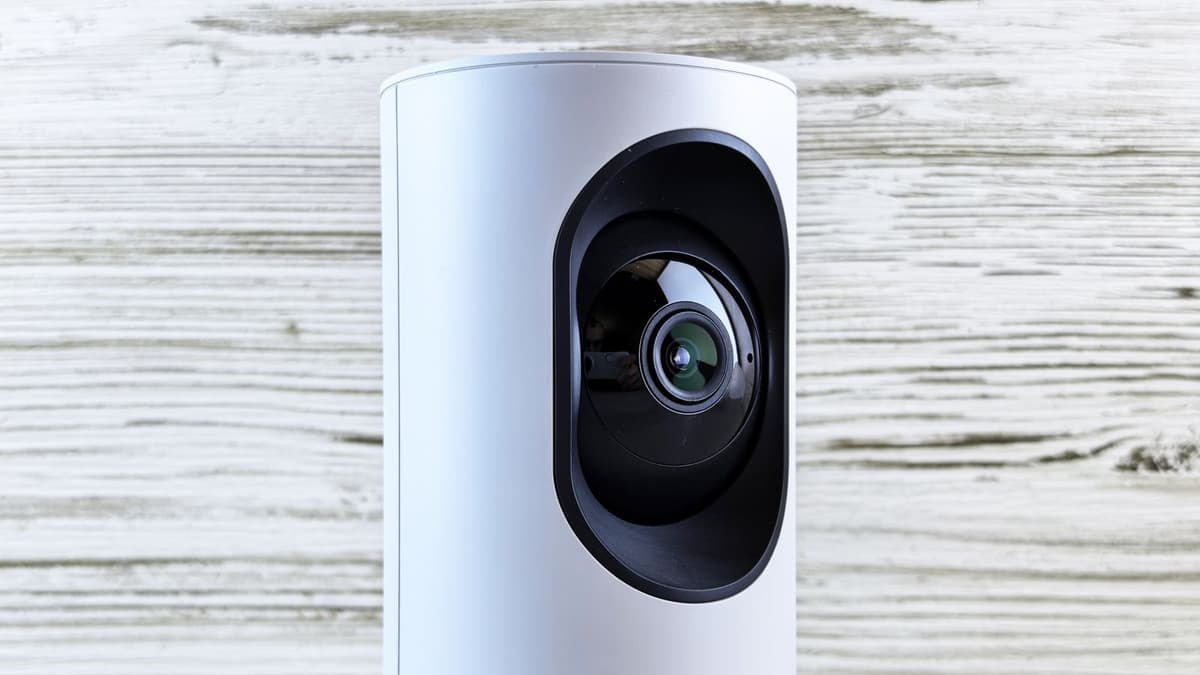
eufy E21 Review 2026: The No-Subscription Baby Monitor to Buy?

A dad of two who's been through the stroller-buying gauntlet twice. I don't pretend to have tested every stroller — I research what parents actually report after months of real use, then tell you what holds up and what quietly disappoints.
Just so you know, some links on this page are affiliate links. If you buy something via them, we get a small kickback. You don't pay more, but it helps toward our research.
Most baby monitors force a quiet compromise: pay a subscription and trust the cloud, or stay basic and give up the modern features. The eufy E21 refuses that trade, and it is the video monitor we would put in most nurseries. It hands you a 4K pan-tilt camera and an app when you want one, then stores every second of footage on your own card with no monthly fee and a switch that takes the camera off Wi-Fi entirely. If you want the modern experience without the strings attached, this is the one to buy. Here is what it does brilliantly, and the handful of places it gives ground.
What it is
The eufy E21 is a video baby monitor built around a 4K camera on a motorised mount, paired with a dedicated 5-inch parent screen and an optional companion app. The camera pans a full 330 degrees, tilts, and zooms in up to eight times, so a single unit covers a whole nursery and can frame a chest rising and falling from clear across the room. What sets it apart from the app-first crowd is its hybrid nature. It works with your home Wi-Fi for remote viewing, or entirely without it, talking only to the parent unit, and it records around the clock to a microSD card slotted into the camera rather than to anyone's cloud. The camera itself carries a built-in battery and sits on a charging base, so you can lift it off and carry it to another room without trailing a cable behind you, and the parent unit holds a signal across a normal home.
The case for it
The headline reason to buy the E21 is what it refuses to charge you for. It records continuously to a local microSD card, encrypted and expandable to a large capacity, and you own that footage outright with no monthly fee to scroll back through your own night. In a category where several big names quietly gate video history behind a subscription, that alone saves real money across the year or more you will use it.
Then there is the Wi-Fi switch, a small physical control that does something surprisingly rare. Flip it off and the camera stops talking to your router entirely, communicating only with the dedicated parent unit, which sidesteps the whole category of internet-based hacking that plagues cheap connected cameras. Flip it on when you genuinely want to look in from the office or hand a live view to a grandparent. Most monitors make you pick your philosophy once, at the checkout. The E21 lets you change your mind nightly.
The hardware backs up the flexibility. The 4K sensor gives you real detail to zoom into, the motorised pan and tilt follows a rolling baby where a fixed lens cannot, and the night vision is clean and bright, which matters because you will use this far more in the dark than in daylight. Active noise reduction strips the constant white-noise hiss so a real cry actually cuts through, and the unit tracks room temperature and flags cries and loud noises so you are not glued to the screen. The portable camera with its own battery is a genuinely useful touch too. Lift it to the changing table, take it through to a nap in the lounge, then drop it back on the base to recharge.
Coverage is generous with it. The wide 4K field of view combined with the motorised movement means one camera genuinely watches a whole nursery rather than a narrow slice of it, and in practice you set it once and let the pan and tilt do the work as the baby migrates around the cot. None of these are gimmicks. Taken together they add up to a monitor that feels modern and generous rather than one engineered to upsell you later, and that is exactly why we recommend it to most parents.
Setting it up and living with it
Getting the E21 running is refreshingly free of hoops. Decide upfront which way you want to run it. In no-Wi-Fi mode the camera pairs straight to the parent unit and you are watching within minutes, with nothing else required. In Wi-Fi mode you add it through the eufy app to unlock remote viewing, and the physical switch on the camera means you can move between the two whenever you like rather than committing at setup. Slot a microSD card into the camera before anything else, because that is what switches on the round-the-clock recording, and it is the single step new owners most often forget.
Read through months of owner reports and a consistent picture emerges. Parents who bought the E21 for privacy tend to leave the Wi-Fi switch off almost all the time and flip it on only for travel or the occasional check from work, and they like that the choice is theirs rather than the manufacturer's. The local recording earns its place the first time they scroll back to see exactly when the baby stirred, or catch the moment a toddler learns to pull up on the cot rail. The pan and tilt proves its worth the day the baby starts moving, when a fixed camera would be showing you an empty corner of the mattress. And the portable camera, dismissed by some as a gimmick before it arrives, tends to win people over the first time they carry it to a nap on the sofa and back.
The honest case against it
No monitor is perfect, and the E21 has a few small ones. The main downside is a practical one: the microSD card is not in the box, so you will need to buy one separately before the recording feature does anything at all. The camera shoots in 4K but the 5-inch parent screen shows 720p, so that extra resolution earns its keep in the app and in zoomed-in detail rather than on the handheld display, which is worth knowing so you are not let down by a screen that looks merely good rather than razor-sharp.
Battery life on the portable camera is respectable rather than heroic, and it drops further with night vision running, so in practice the camera lives on its charging base most of the time and the portability is an occasional convenience rather than an all-day one. And while the companion app is stable and well liked, it is not quite as polished or feature-deep as Nanit's at the premium end. If your standard is a camera that can never, under any circumstances, touch the internet, the E21's hybrid design is a compromise you do not need, and a pure non-Wi-Fi monitor is the cleaner fit.
Who should buy it, and who shouldn't
Buy the eufy E21 if you want the modern monitor experience, the app, the pan and tilt, the recording, without ever signing up to a subscription, and if you like the reassurance of a privacy switch you control with your own thumb. That describes the broad majority of new parents, which is why it is our overall pick.
Look elsewhere in two cases. If a camera on your home network is an outright dealbreaker and you will never want app access, our eufy E21 vs Infant Optics DXR-8 PRO comparison makes the case for the no-Wi-Fi route. And if your real priority is breathing and sleep tracking rather than simply watching, the overhead Nanit Pro is built for that specific worry, and our best baby monitors guide rounds up the rest.
How it compares to the obvious alternatives
Two monitors get cross-shopped against the E21, the Nanit Pro and the Infant Optics DXR-8 PRO, and each answers a different question.
The Nanit Pro is the premium overhead option, and its signature trick is reading your baby's breathing from a bird's-eye camera with nothing worn on the baby. It is excellent, and its app is the best in the category. But it sits at a notably higher price, and the sleep science people associate with the name lives behind an annual plan. Set against it, the E21 wins clearly on value and on freedom from subscriptions, and gives ground only if breathing tracking is the specific feature you came for.
By contrast, the Infant Optics DXR-8 PRO is the privacy purist's choice: no app, no account, no internet, just a closed signal and interchangeable lenses. If total privacy is your north star, it is the more honest fit. But it cannot show you the baby from your phone, keeps no recordings, and tops out at 720p. The E21 does far more for the parent who wants flexibility, which is most people, and concedes only to buyers who have decided, firmly, that they want a camera the internet can never reach. Our full eufy E21 vs Infant Optics DXR-8 PRO comparison walks through that exact decision.
What we'd buy today
For most families, the eufy E21 is simply the smart buy. It gives you the features you actually want, respects your privacy with a switch you control, and never once asks for your card details again after checkout. Slot in a memory card, set it up before the baby arrives, and you will have the one thing every new parent is quietly chasing in those first bleary months: the confidence to close your eyes in the next room. Get it, and rest easier.
As an Amazon Associate, we earn from qualifying purchases.
Products Mentioned in This Guide
Still comparing options?
Browse all our brand-vs-brand pushchair guides to find the right fit.
Browse All GuidesFrequently Asked Questions
Is the eufy E21 worth it?
For most parents, yes. The eufy E21 gives you a 4K pan-tilt camera, an app, and 24/7 local recording with no subscription and a physical Wi-Fi switch for privacy, which is a rare combination at its price. It is only the wrong choice if you want a camera that never touches the internet at all, or if breathing and sleep tracking is your main priority.
Does the eufy E21 require a subscription?
No. It records around the clock to a local microSD card with no monthly fee, so your footage stays on your own device and you keep full access to it. You do need to buy a microSD card separately, as one is not included.
Does the eufy E21 work without Wi-Fi?
Yes. It is a hybrid monitor: in no-Wi-Fi mode the camera talks only to the included parent unit and never connects to the internet, and a physical switch on the camera lets you turn Wi-Fi on only when you want remote viewing through the app.
Can the eufy E21 be hacked?
The E21 stores recordings locally with encryption rather than in the cloud, and its physical Wi-Fi switch lets you take the camera fully offline so it cannot be reached over the internet at all. With the switch off it is about as private as an app-capable camera gets; if you use Wi-Fi mode, set a strong, unique password.
Does the eufy E21 camera have its own battery?
Yes. The camera is portable with a built-in battery and sits on a charging base, so you can lift it and carry it to another room without a cable. Battery life is modest and shorter with night vision on, so in practice the camera lives on its base most of the time.